
In order to start managing your finances and putting a budget into each Pocket, your Jago Main Pocket needs money. In this article, Jago will discuss 3 easy and quick ways to top up your Jago Pocket.
How to Top Up Your Jago Pocket?
1. Transfer from other banks to Bank Jago so you can start saving and managing money the way you want
All banks in Indonesia can transfer money to your Jago Pocket. While other banks use the term 'account number', Jago uses the term 'Pocket'.
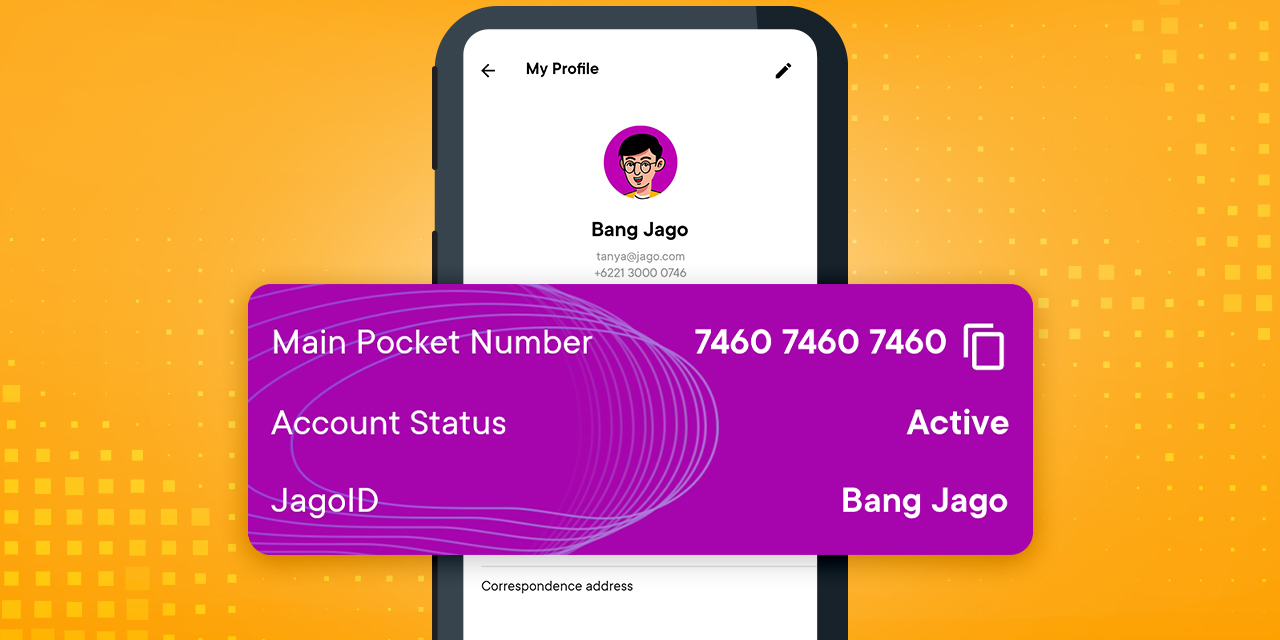
Transfers from other banks can be made to the Main Pocket Number. Where can you find your Main Pocket Number? Follow these steps:
- Click the icon with a picture of a person/profile photo (if you have set a photo) at the top right
- You will find the Main Pocket Number under the mobile number
- Copy the Main Pocket Number
When transferring to the Main Pocket from another bank, you will be asked to enter a bank code. Bank Jago code is 542. If you are asked to find a destination bank, all you have to do is look for Bank Jago.
Oh yes, you can top up your Jago Pocket via digital banking, mobile banking, internet banking, SMS banking and of course ATM, Jagoans.
2. Use your mobile or phone number
The Main Pocket Number is quite long. For those who don't want to bother typing in the Main Pocket Number, you can just use your mobile number. You remember your own mobile number, don’t you? It may also be easier to tell people to transfer to your mobile number.
How to do it? You can choose the interbank transfer option or transfer to another bank from a non-Jago account. Then, all you need to do next is typing in the code 7460 + the mobile number you registered with Jago.
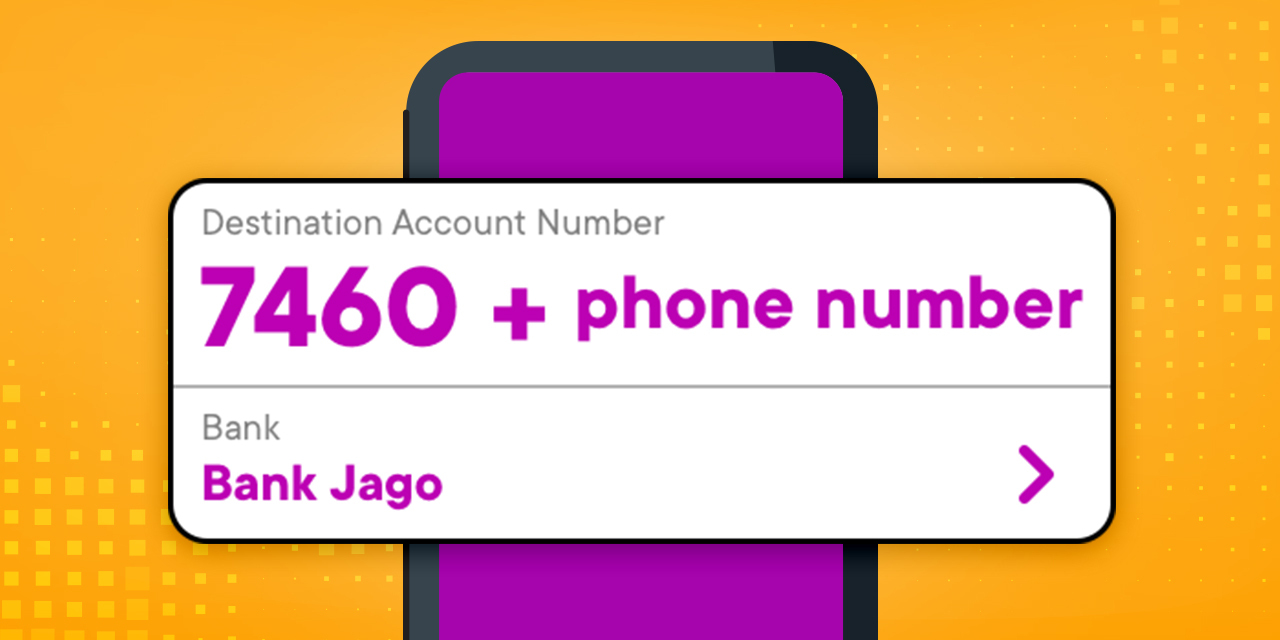
So, for example, your mobile number is 0897555777, so to top up your Jago Pocket, you just need to type in 74600897555777. Very simple, right? The money you transfer will go to the Main Pocket.
Also read: How to Change Your Registered Phone Number in the Jago Application
3. Use Your Jago ID in the application
This one is specifically for transfers between Jago users only. So, for example, your friend, who also has a Jago account, borrows money from you. You can give your Jago ID to them to settle their debt by topping up your Main Pocket.
The Jago ID can be your real name, nickname or whatever name you want. Very cool right? Typing in the Jago ID may be easier for some people when compared to typing in the Pocket Number. You can find your Jago ID in the same way as finding your Main Pocket Number.
Follow these steps to find your JagoID:
- From the Jago application click Others
- Click your profile photo or an icon of a person
- You can find Jago ID under the Main Pocket number and the phone number registered in the Jago account
Frequently Asked Questions About Top Ups or Transfers to Bank Jago from Other Banks
1. Is top up or transfer to Bank Jago free?
Even though you can enjoy free transfers from Bank Jago to other banks according to your Account Level, it's not the other way around. Transfer fees to Bank Jago vary, depending on the transfer method you choose. Currently, the popular method used is transferring to Bank Jago via BI-FAST with a transfer fee of Rp2,500.
2. Does Bank Jago have a virtual account?
Currently, Bank Jago does not have a virtual account. To transfer to Bank Jago, you can choose one of the three ways outlined above.
3. Can you top up Bank Jago through minimarkets such as Indomaret and Alfamart?
Currently there are no services available at Indomaret and Alfamart that can top up your balance to go directly to Bank Jago.
As an alternative, you can open GoPay Tabungan by Jago if you want to top up your balance via Indomaret or Alfamart. GoPay Tabungan by Jago provides easy transactions with GoPay just like GoPay, but with many other benefits such as interest bonuses for GoPay Tabungan by Jago and Wadiah akad for GoPay Tabungan Syariah by Jago as well as making transfers and payments easier.
4. How to deposit cash to Bank Jago?
Since Bank Jago is a digital bank, all transactions can be done easily via non-cash and online methods. Thus, your needs like top-ups, transfers, payments, and budgeting can be managed from anywhere. However, if you ever need to make a cash deposit, you can still do it easily. Simply visit a Bank Jago Branch Office and make the cash deposit directly at your chosen branch. The complete list of Bank Jago Branch Offices and their addresses can be found on this page.
So, what do you think, Jagoans? Isn’t it very easy and practical to add money to your Jago Pocket?
For those of you who don't have a Jago account yet and want to experience the convenience and practicality of managing your finances with the Jago Pockets, you can first download the Jago application here and then proceed with creating a Jago account.