Need Help?
Use Jago
Jago Dana Cepat
Applying for Jago Dana Cepat Loan
How to apply for Jago Dana Cepat Loan?
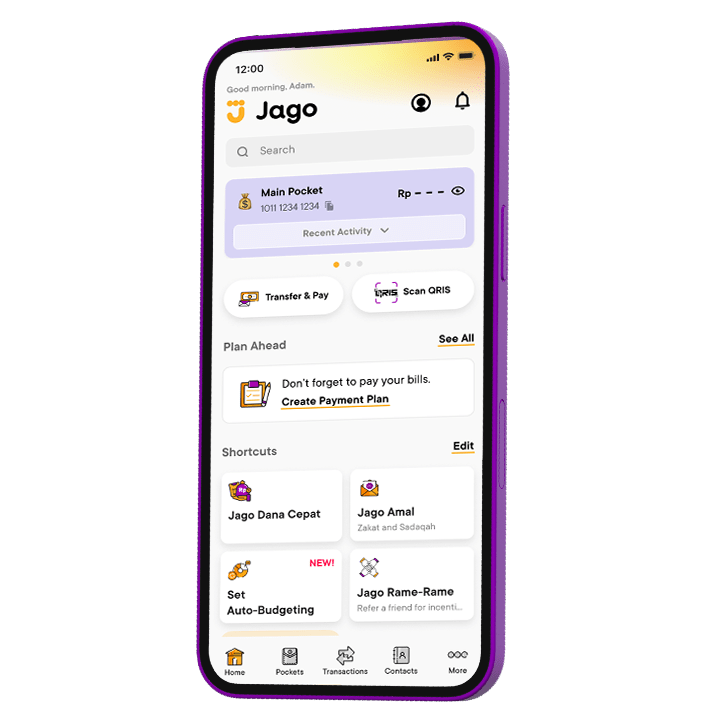
For now, Jago Dana Cepat is only available for selected customers. Selected customers can disburse Jago Dana Cepat facility by accessing the menu on "Home" and "Others" page.
For your first loan drawdown:
- From your app Home page, tap the “Loan” shortcut
- Read the terms and conditions, then tap “Accept & Next”
- Set the loan amount, duration (tenor), and monthly payment date to match your needs and capabilities, then see the installment scheme
- Continue with the process, review your loan, and confirm
- The fund will be disbursed to your Main Pocket
For the next loan drawdown, you can simply tap the “Add Loan” button and proceed similarly.
If you have an ongoing loan, the installment payment date for the new loan will automatically be set on the same date every month.
What documents are required for loan application?
For Jago users, there are no additional documents required to apply for a loan, but please ensure you filled the required additional information correctly.
You can immediately see the loan limit in the Jago application and if you already have a limit, the loan can be immediately disbursed.
How long does the loan application process take?
The loan application process at Jago is very fast since it is provided to the pre-selected users. You can immediately drawdown the loan according to the approved limit
How long is the loan tenor?
The maximum loan tenor can be viewed in Jago app, you can set the tenor according to your abilities directly in the Jago application
What is the interest percentage on the Jago Dana Cepat loan?
Jago Dana Cepat loan interest can be viewed in Jago app in Jago Dana Cepat page.
Can my Jago Dana Cepat interest change?
Interest for the existing loan will be fixed as per the loan confirmation. However, the interest for the new loan drawdown may change according to the Bank's decision.
Are there admin fees?
There are no admin or other hidden fees
What are the fees when taking Jago Dana Cepat?
There are no admin or other hidden fees, you only need to pay loan interest
How long does the funds disbursement process take?
The process of disbursing funds can be disbursed immediately according to the available limit and the drawdown request passed the loan approval check
Will I receive the full amount of my total loan?
Yes, you will receive it in full without deducting admin fees and other hidden costs
Why I cannot find the Jago Dana Cepat menu?
For now, Jago Dana Cepat is only available for selected customers and have installed Jago app version 8.51 or later.
How to calculate the loan interest?
You can view the flat monthly interest rate in the application to simplify your installment calculations. Jago utilizes the effective annuity calculation method using the equivalent effective interest rate to generate an installment schedule with monthly installment values visible in the Payment Schedule section.
Example:
Flat interest rate in the application: 1.5% per month
Loan term: 4 months
Loan amount: Rp 10 million
Therefore, customers can estimate the monthly installment as follows: (Rp 10 million / 4 months) + (Rp 10 million x 1.5%) = Rp 2.65 million
Jago will use an equivalent effective interest rate, in this example, 28.47% per year, to produce a similar monthly installment amount. Details of interest calculation can be viewed in confirmation email upon drawdown.
What should I do when I am stuck on "Processing Payment" and cannot see whether the disbursement is successful or not?
The disbursement process usually takes up to 1 hour. If your loan has not yet been disbursed after one hour, please contact us again.
What if I got an error message saying the disbursement failed?
Your loan has not been approved. You can try again next month.
Use Jago
About Jago Dana Cepat
Require further assistance?
Contact Tanya Jago