

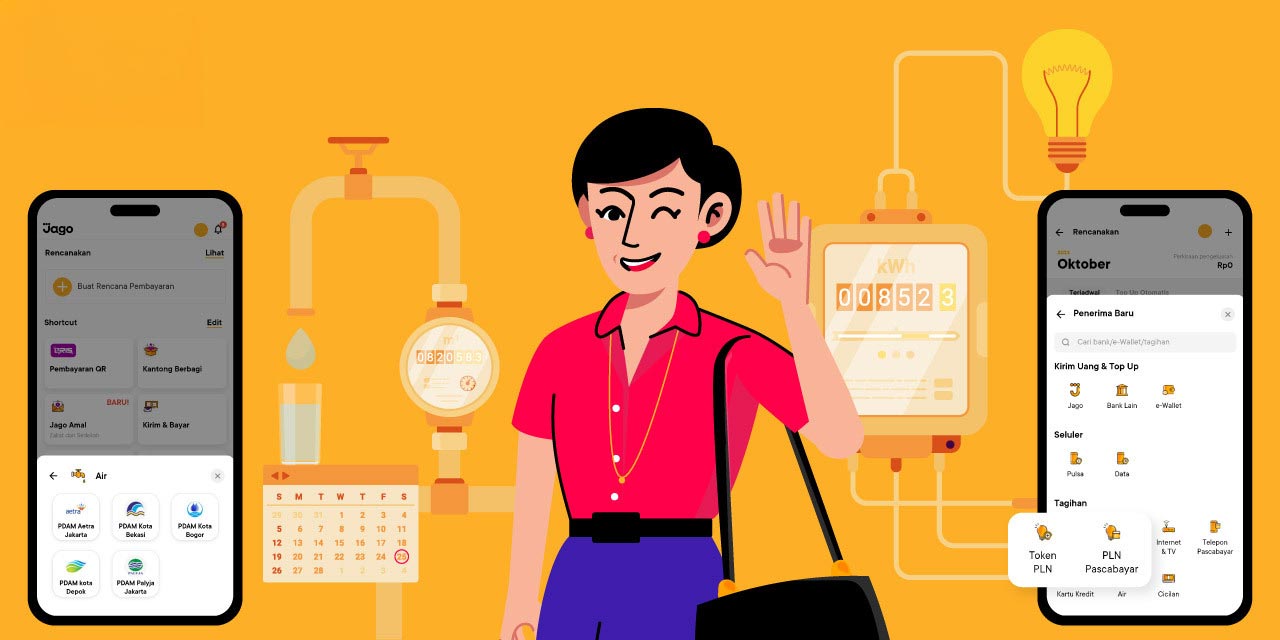

Bills are part of life. PDAM bills and PLN bills are 2 types of bills that the majority of people need to pay every month. For other bills such as credit cards or TV subscriptions, they may only apply to some people because everyone's needs are different. Whatever the type of bill, you can quickly make payments using the Plan Ahead or Transfer & Pay feature.
The Plan Ahead Feature: The Solution to Manage and Pay PDAM, PLN, and Many Other Bills Automatically and Never Miss a Due Date
The Plan Ahead feature in the Jago application is specifically designed to transform routine expenditures into an effortless process. This is the answer for you who want to manage your finances with discipline without the hassle of manual recording or transfers every month.
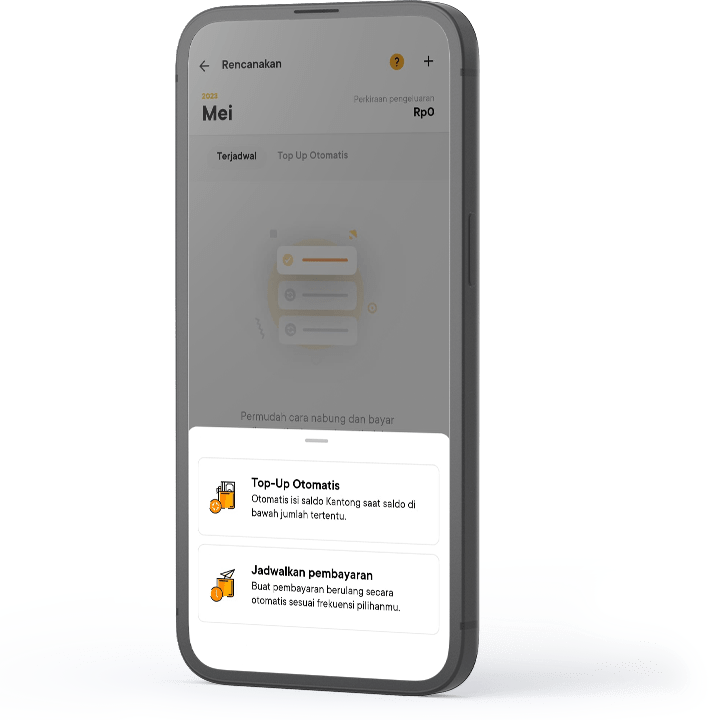
Pay bills without penalties
You can set up automatic payments for your PLN electricity bill, PDAM water bill, internet, and other bills. The Jago application will deduct the balance from the Pocket you designate on the scheduled date, ensuring payments are always on time and you avoid penalties or service disconnection.
Flexible reminders
If you choose not to use automatic payments, the Plan Ahead Feature will still send a bill reminder before the due date, giving you enough time to prepare the funds in the appropriate Spending Pocket.
Read through the Plan Ahead Feature FAQ to find out the complete guide to making scheduled payments and recurring payments for each type of bill in the Jago application.
The Transfer & Pay Feature: The Convenience of Manual Bill Transactions
Although automation is key to disciplined financial management, many people still prefer and choose to pay bills manually every month. Are you one of them? According to your preference, through the Transfer & Pay feature in the Jago application, you can complete all payments quickly and efficiently.
Diverse bill payments
Pay your PDAM bill, PLN electricity bill, and even transfer funds to various other destinations.
Fast transactions
Simply select the Transfer & Pay feature. If this is your first time, add the contact details/customer ID (PLN/PDAM). For subsequent transactions, the contact is automatically saved, making payment faster.
Read the Transfer & Pay Feature FAQ for a complete guide to paying each type of bill.
So, which feature do you prefer for paying monthly bills? The convenience of the Jago application features ensures you have full control over your cash flow, whether using the automatic Plan Ahead Feature system or manually transacting using the Transfer & Pay Feature.
Separate Budget for Bills in a Spending Pocket, the Way You Want
Don't forget, to avoid the funds for paying all the bills mixing up with the funds for other expenses, you can separate the budget using the Spending Pocket.
Create 1 new Spending Pocket and name it and give it the emoticon you want. For example, the Pocket is named Bills with an image of water or lightning. This way, it's easier when you allocate your budget to that Pocket and monitor your expenses. No need to look for which Pocket has the balance for paying bills.

Why, if it's not named, you will have to look for the Pocket first? Because at Bank Jago you can have multiple accounts. Create a Pocket in the Jago application. How many Pockets to create? As needed. Check the details of each Pocket. The Pocket numbers must be different. The Pocket Number functions as an account number, able to receive money transfers from other banks. And, each Spending Pocket can be used to pay bills, send or transfer money, and top up e-Wallets.
Quick Q&A About Bill Payments from Bank Jago
1. What application can I use to pay PLN electricity bills and PDAM water bills online?
As explained above, you can use the Jago application. The advantage of using Jago is that you can set payments to be automatic and link them directly to a specific budget Pocket.
2. How do I pay PLN and PDAM bills using the Jago application?
Depending on the feature you use for payment. Read the Plan Ahead Feature FAQ for a complete guide on creating scheduled and recurring payments for each type of bill. Read the Transfer & Pay Feature FAQ for a complete guide on manually paying each type of bill.