
Doing a lot of activities with friends can strengthen friendship bonds. So that you can often hold events together, you and your friends need to start saving together. There are 4 money saving tricks that you can use.
How to Save Money with Friends: 4 Tricks to Follow
1. Decide whom you want to save with
Some prefer activities in a large group to make it more fun, some prefer a smaller group to be more intimate. Before starting to save money together, you can first discuss who wants to join, so you can know the total number of members. It’s best if every member has the same interest in the activities or events being held.
2. Determine the contribution of each member
Based on the goals you want to achieve, for example having a potluck every 2 weeks or indulging in an exquisite dinner once a month, you and your friends then agree on how much each member should contribute.
3. Determine when to collect money
Then, you and your friends also need to agree on when each member needs to transfer the money For example, whether after payday, at the beginning of the month or every week. Make sure each member is comfortable with the transfer schedule.
4. Use Shared Pocket as a place to save money and a joint account at Bank Jago
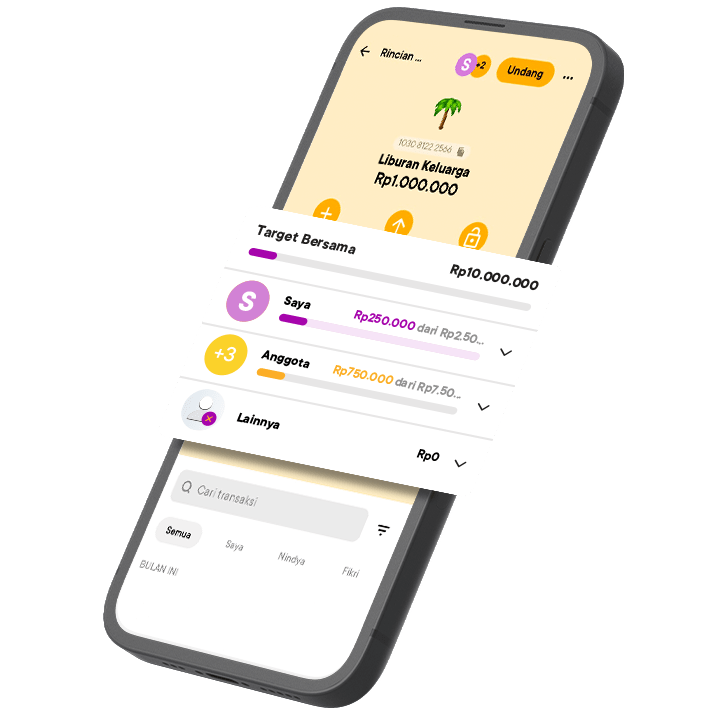
Finally, what is no less important is finding a place to save that is easy, practical and fun. You can use the Shared Pocket feature in the Jago application.
Each member can transfer money to the Shared Pocket and view transaction history in order to maintain transparency. In addition, if any member forgets to transfer money, Jago is ready to remind them via notification.
What's more, the Shared Pocket allows you and your friends to set a saving target together and set a spending limit if needed. Expenses are well managed and according to plan.
In order to use the Shared Pocket feature, each member must already have a Jago account. Once friends join, the Shared Pocket will appear in their respective Jago applications. If you don't have a Jago account yet, you can read the steps to create a Jago account here.
To create a Shared Pocket, you need to create a Pocket first. After the Pocket is created, you can tap the invite button on the top of the screen. Then, select the members you want to invite and define their roles. Voila, the Pocket will instantly become a Shared Pocket!
Speaking of which, it is important to know that the Shared Pocket is slightly different from the Arisan Pocket. Find out the differences between the Shared Pocket and Arisan Pocket in this article.