



Do you already have a Jago account? Have you utilized the features designed to help you manage your finances in a practical, innovative and collaborative way? Let's make the best use of the various features available.
Smart Ways to Use the Jago Application
1. Separate needs with the Jago Pocket feature
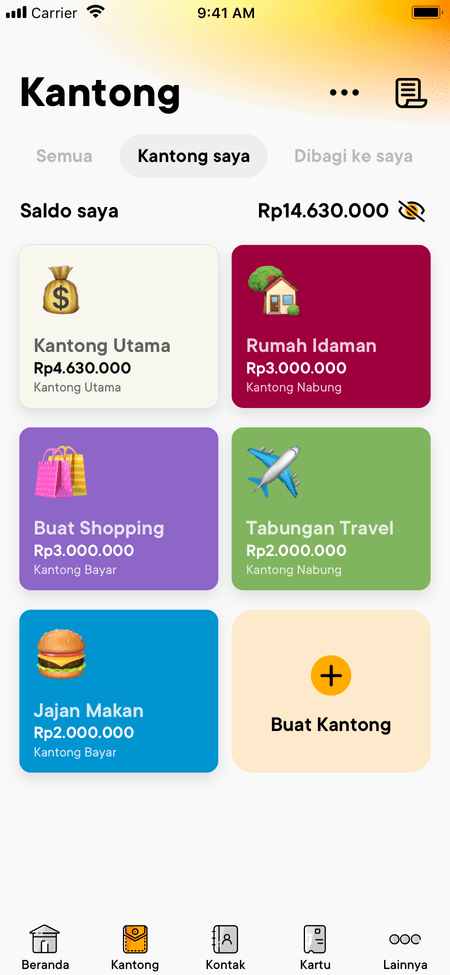
Try to list down your needs in a month, how many are they? They may be quite a lot, such as shopping for daily necessities, transportation, paying bills, savings and entertainment.
To make it easy to manage finances, every need should be separated. After that, you can allocate the budget. For this, you can use the Jago Pockets. For saving, there is the Saving Pocket. For spending, there is the Spending Pocket.
2. Avoid fines due to late bill payments with the Plan Ahead feature
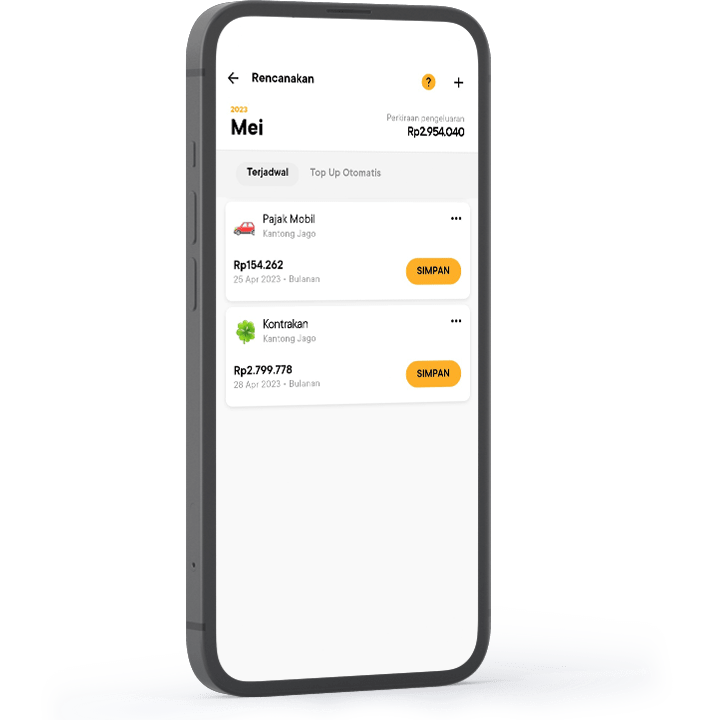
Every month there must be bills to be paid. Everyone’s bills may be different, but there must be at least one, whether it's internet bill, electricity bill, telephone bill, etc.
Regarding monthly bill payments, you may find it inconvenient if you have to manually transfer one by one. Oftentimes, there are also people who forget to make payments so that they end up being fined.
So you don't have to transfer manually anymore and never forget to make payments, take advantage of the Plan Ahead feature. You can schedule transactions or recurring payments in advance. Bills will definitely be paid on time and of course, no need to pay fines.
3. Grow savings automatically with the Auto-Budgeting feature
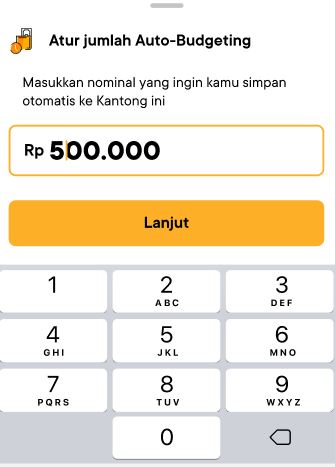
Let the Jago application do the work for you. Now, if you want your savings to grow automatically, all you have to do is activate the Auto-Budgeting feature in the Saving Pocket of your choice.
By automating savings, you form a habit of saving consistently with ease. You also help yourself reduce unnecessary expenses because the money will automatically go into savings on the date you set.
4. Earn higher interest with the Locked Pocket feature
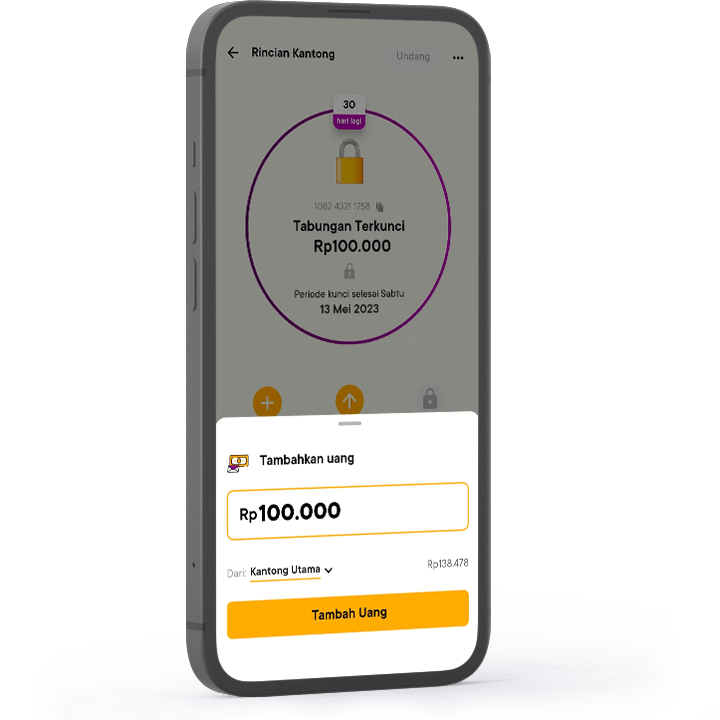
Even though from the Saving Pockets you can already enjoy competitive interest, you can get even higher interest when locking money in a Locked Pocket that offers a flexible locking period.
Locked Pockets are very effective in keeping you away from the temptation to overspend. Don't want to overspend? Just make the most of the Locked Pocket.
5. Monitor expenses with the Spend Analysis feature
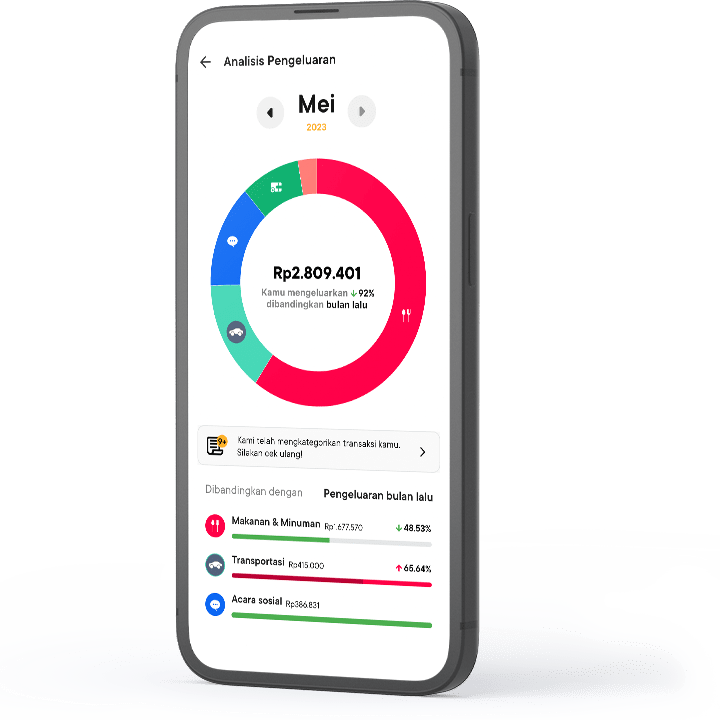
By diligently monitoring your spending, you will better understand your spending habits. It will also be easier for you to control spending and make decisions regarding the use of money.
Jago’s Spend Analysis can compare the increase or decrease in expenses between the current and previous months. Not only total expenses, but also expenses per category.
6. Collaborate financially with the Shared Pocket feature
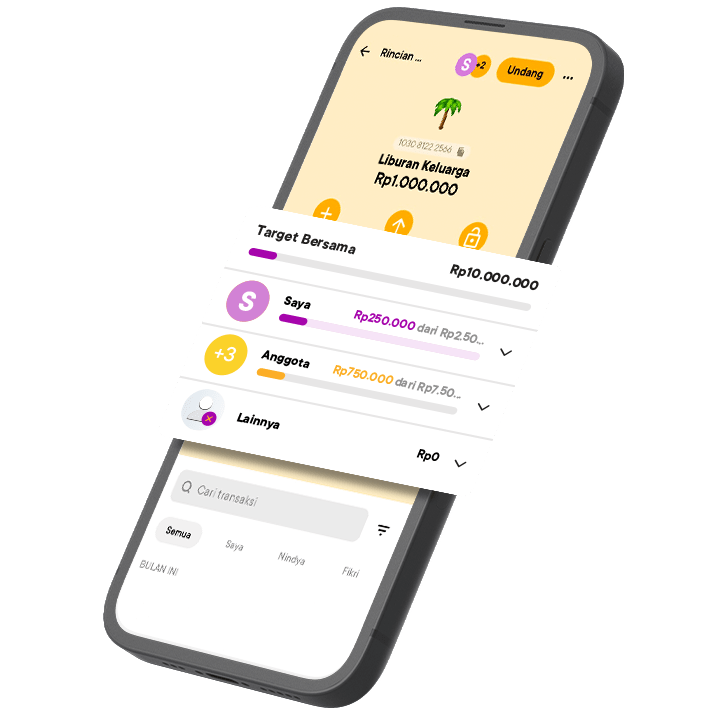
You can do financial collaborations for many different purposes. Want to pay less for streaming services? You and your friends can chip in together. Do you want to go on a holiday with your partner next year? You can save money together.
To make financial collaborations more exciting, you can use the Shared Pocket. Create a Pocket according to your need, invite friends, partners or anyone you want to collaborate with, so that the Pocket becomes a Shared Pocket. Then, all members just need to transfer to the Shared Pocket. The Shared Pocket also maintains transparency because each member can access transaction history.
7. Control spending with the Jago Visa Debit Card feature
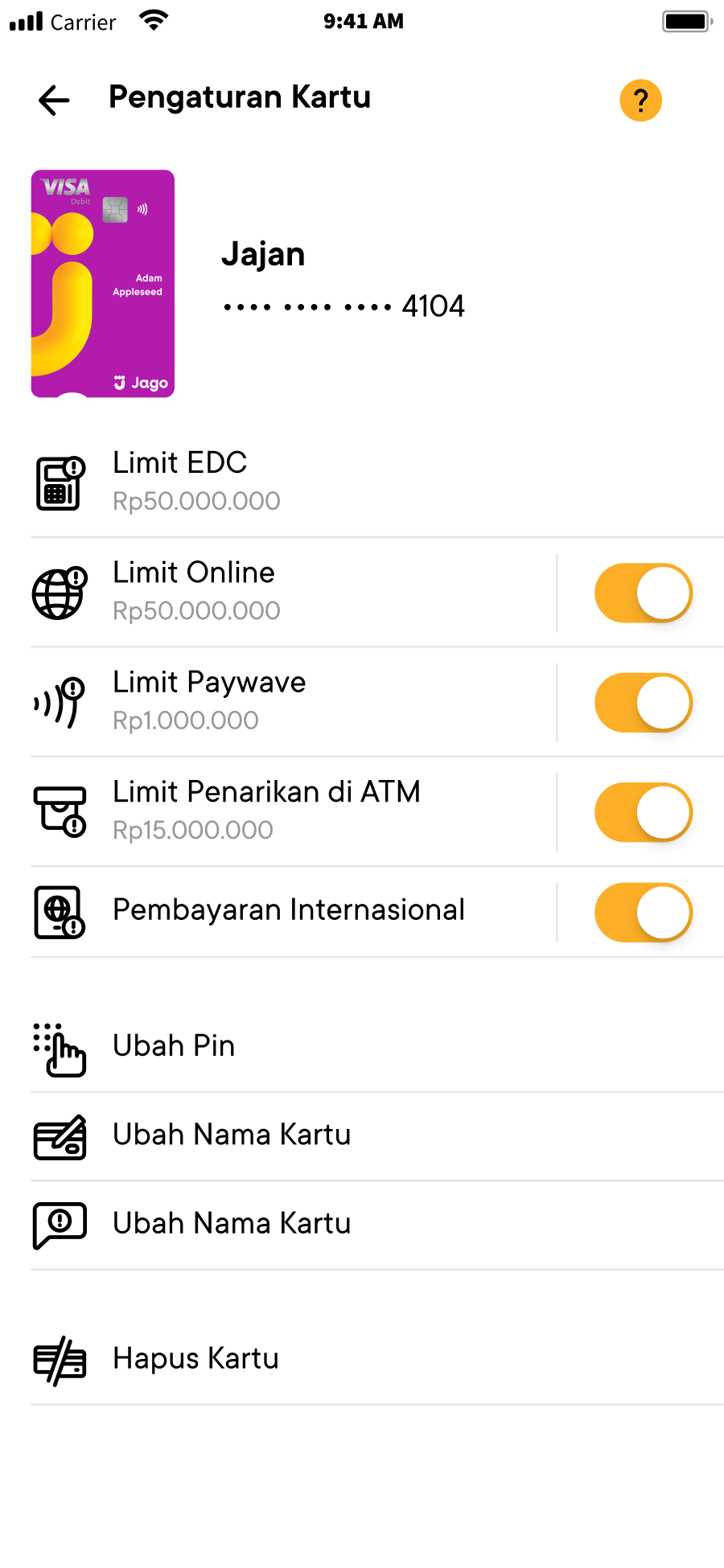
Debit cards do provide the convenience of transacting without cash. If you have a Jago Visa Debit Card, you can enjoy more than just the convenience of transacting.
You can control spending so that there is no such thing as overspending because you can set daily transaction limits as needed. You can do this after connecting the debit card with one of the Spending Pockets.
So, which features have you used so far? It’s best to take advantage of all the features, Jagoans.
*Interest rate can change at any time according to bank policy